Distributing your test is easy


Testmoz provides you with a simple URL that you can email to your students so they can start the test. You can choose from a variety of authentication schemes to ensure only your students take the test.
Your students will have no technical excuse for not completing your tests because...
- Testmoz works on virtually all web browsers on desktops, tablets and phones
- Testmoz works well on low-bandwidth and spotty internet connections
- Testmoz will automatically restore the student's test if they accidentally close their browser
You can customize the look and feel to match your school, or corporate color scheme.
Testmoz lets you choose whether to display all the questions at once, or one-per-page. You can set a time limit, and specify the max number of times a student can take your test.
When the student finishes, you can choose to display their score, their responses, the explanations, and/or the correct answers. Or, you can hide all that information, and email the explanations/answers/feedback after everyone has finished.
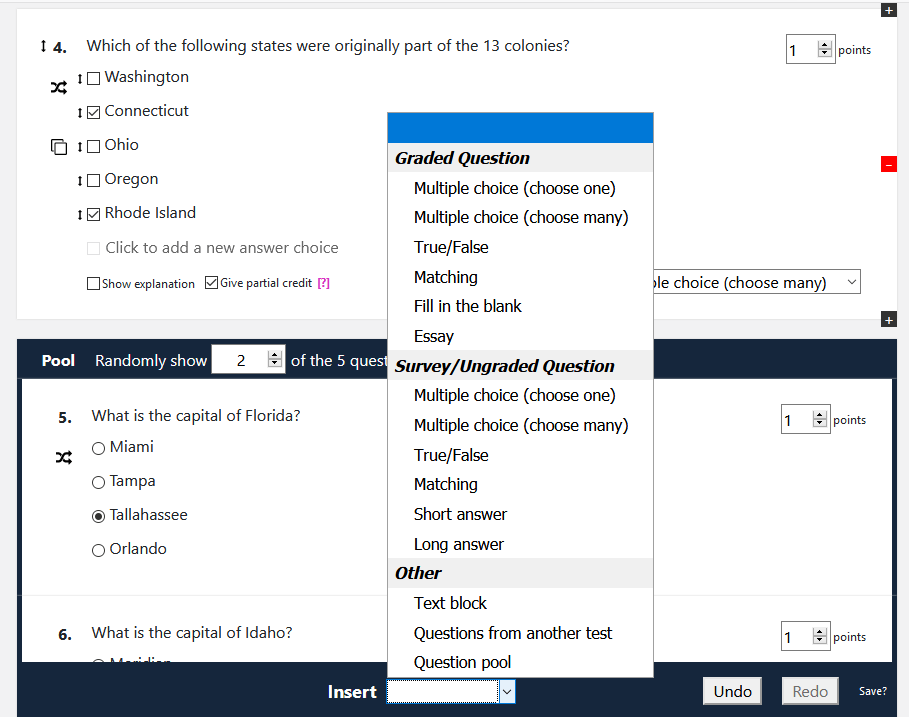
You can quickly create questions, move them around, copy them, import questions from your other tests, change question types, and move questions into pools.
The test is autosaved while you're working on it, so you don't have to worry about losing your changes. You can also undo and redo your changes, just in case you make a mistake.
You can mark questions as ungraded, you can shuffle the questions for each test taker, you can shuffle the answer choices, and you can show an explanation for any question.
You can even import questions from a properly formatted Excel file.
Testmoz is powerful, and more features are being added all the time.